How to Delete Your Account
Follow these simple steps to permanently delete your account
Open Account Actions
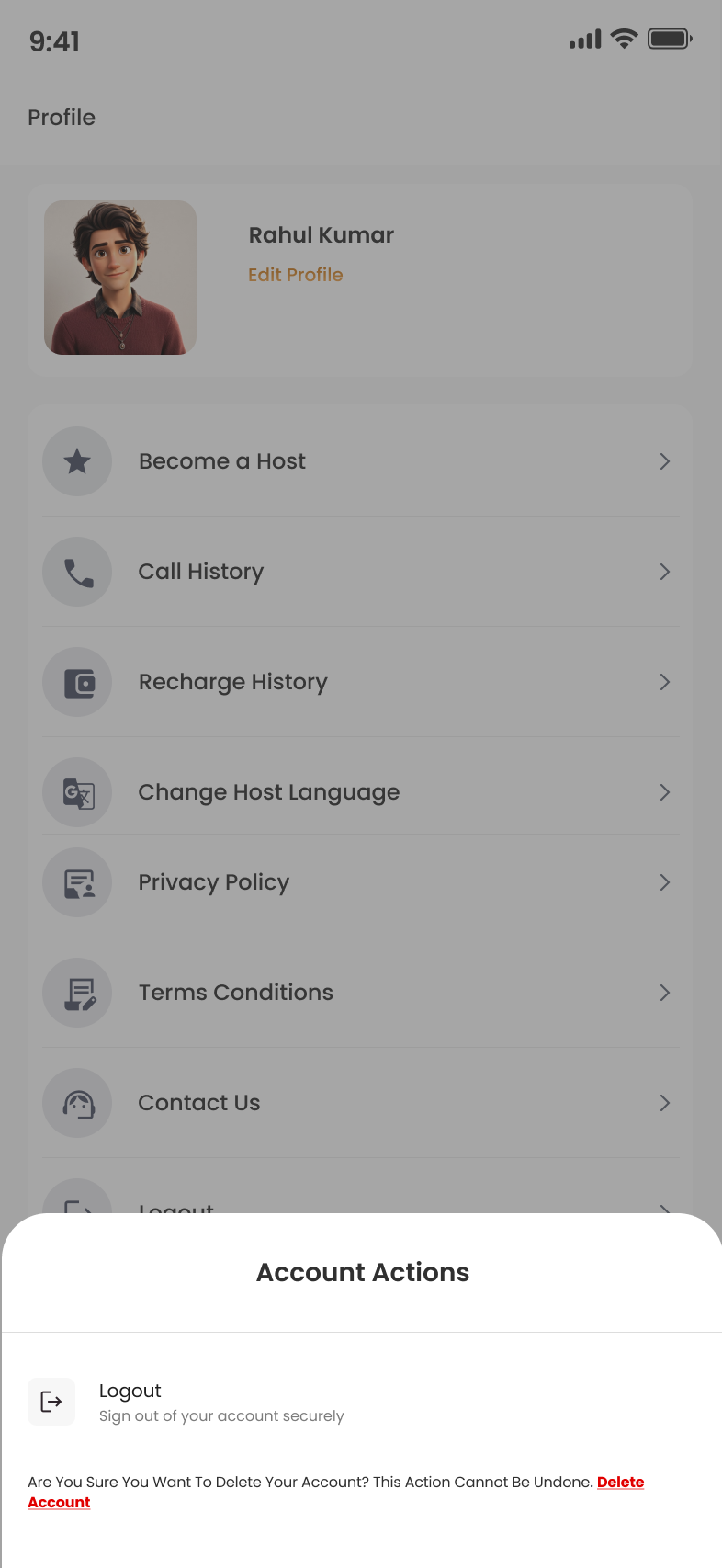
Open the Voicey app and go to the Profile screen. Scroll down to the bottom and tap "Account Actions".
Tap Delete Account
An "Account Actions" sheet will appear. Tap the "Delete Account" text shown in red at the bottom of the sheet.
Confirm Deletion
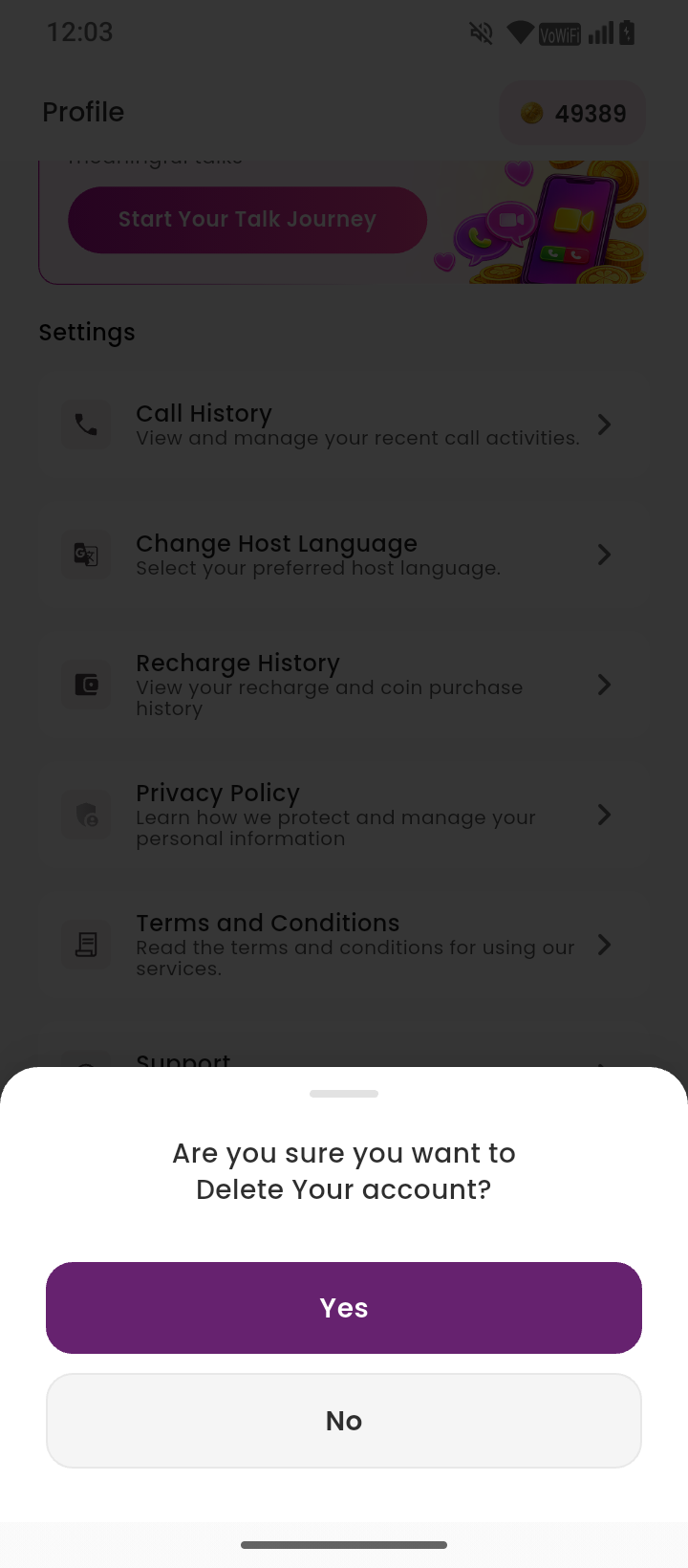
The app will ask "Are you sure you want to Delete Your account?". Tap "Yes" to permanently delete your account, or "No" to cancel.
Important Notice
Account deletion is permanent and cannot be undone. All your data, including profile information, messages, and app history will be permanently removed from our servers. Please make sure you want to proceed before confirming the deletion.
Need Help?
If you're having trouble deleting your account or have questions about the process, please contact our support team:
Email: voiceytalk@gmail.com
Response Time: Within 24 hours